TYPE
Self-initiated
ROLE
UX design, UI design, Research
PLATFORMS
iOS
DESIGN TOOLS
Figma, Paper
Designing an App Clip from scratch to improve the everyday bus stop experience
In August 2025, I’d just arrived in Oakville without a car and needed to get to the nearby Walmart for groceries. My only option was the bus. I opened Google Maps, followed the directions, and walked to the bus stop near my accommodation.
When I arrived, I found a bus shelter, a bus information display, and four identical-looking bus stop poles.
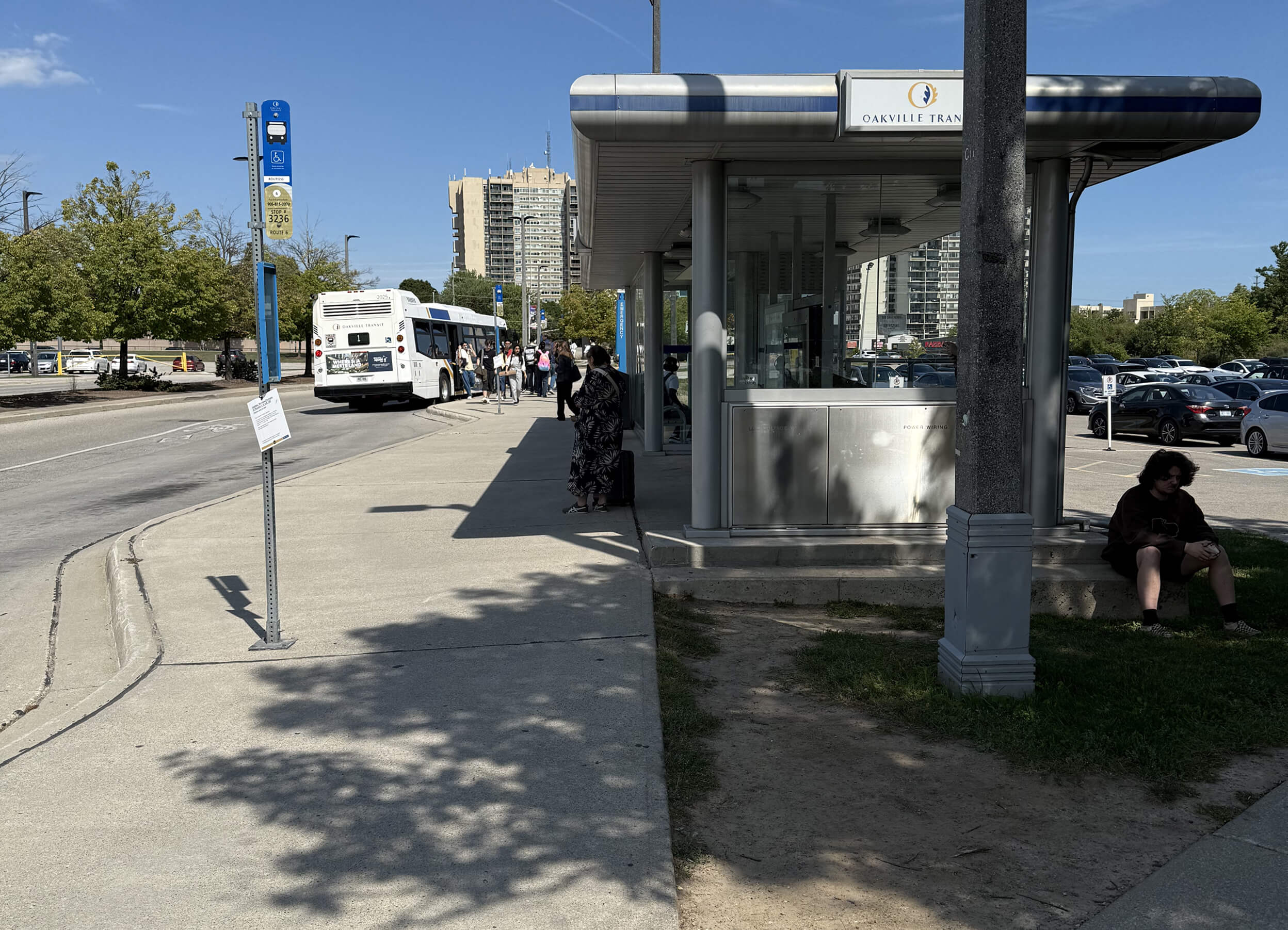
I checked the bus information display first. It showed arrival times, but nothing that could tell me which pole the bus would actually stop at. A few minutes later, a bus appeared in the distance. Just as it was about to pull in, everyone around me suddenly looked up and stared in the same direction. The moment people saw which pole the bus was heading toward, everyone ran there together. I ran with them, not wanting to miss it.
I assumed it was a one-time thing and didn’t think much of it. But when I returned from Walmart, the exact same situation happened again. That’s when I started wondering: is guessing where to stand at the last second just how it works here?
After I got on the bus, a question stuck with me: why does catching a bus have to be this stressful?
If bus stop information could be clearer, do people really need to wait until the last moment to decide where to stand?
Why is waiting for the bus here so difficult?
Two experiences weren’t enough to understand this problem. I spent two weeks observing at bus stops, three times a day for about twenty minutes each time, watching how people got on the bus and decided where to stand. During this time, I also chatted with others waiting for the bus to understand the problem better.
These people came from different backgrounds. Some were daily commuters, some were students who occasionally took the bus, and others were local residents who depended on the bus long-term. But regardless of who they were, everyone mentioned the same thing: “I don’t know which bus stop pole the bus will stop at.”
After synthesizing my interviews and observations, a few common themes appeared:

“I take the bus every day, and it took me a while to roughly figure out which bus stop pole the bus stops at, but I still forget sometimes.”
“The bus information display only shows the time, not the location. When I first got here, I had no idea where to stand.”


“I don’t usually look at the bus stop poles. I watch where other people are standing. When everyone starts moving, I just follow.”
“Sometimes two or three buses come at the same time, and I can’t tell which one will stop in front and which will stop behind.”
Which formed some key insights:
💡
People rely on memory or experience to figure out where to stand. When different bus stops or multiple routes run at the same time, this creates confusion.
💡
The bus information display only shows time, not where the bus will stop. Since all bus stop poles look the same, newcomers find it harder to decide where to stand.
💡
Without clear information, people watch where others are standing and follow along. Everyone ends up relying on each other, which makes the confusion worse.
Figuring out what to build
Before thinking about what the solution should achieve, I needed to clarify what the core problem actually was. Based on what kept coming up in my observations and interviews, I put together a problem statement:
People at bus stops can’t know in advance which bus stop pole the bus will stop at, so they rely on memory, guessing, or watching what others do to decide where to stand.
This problem happens whether you’re new to the route or take it every day. Everyone I talked to mentioned the same frustration. Without any way to judge where to stand beforehand, people feel uncertain as the bus approaches. This gets even worse when multiple buses arrive at the same time or when it’s hard to see clearly.
So how could I design a solution that clearly shows people which bus stop pole the bus will stop at, and reduces that uncertainty?
Common mapping apps like Google Maps, Apple Maps, and Transit are pretty comprehensive when it comes to routes, schedules, and arrival times. But when I looked at how people actually use them, I noticed some critical differences that affect decision-making: is the information clear? Is it easy to understand? Does it show up at the right time? These factors really impact how people decide where to stand at the bus stop.
To figure out a direction that would actually solve user needs, I outlined a clear value proposition:
⚡
Quickly access bus stop information
🎯
Clearly show which bus stop pole the bus will stop at
🧘
Reduce uncertainty when people are deciding where to stand
👁️
Present complex information in an easy-to-understand way
We now had a list of the most useful features to start building.
Scope and structure
I limited the initial scope to an iOS app. When I started planning the overall architecture, I ran into a problem: if I just reorganized all the information into a clearer mapping app, how would it be different from what already exists?
From a functional perspective, it would still be another transit information tool, just making “which bus stop pole each bus stops at” more explicit. In terms of design, this felt like it was missing something.
I thought about this for a while, until one day I came across the App Clips. I started wondering: what if walking into a bus stop area could trigger the information in the App Clip, instead of making people open an app?
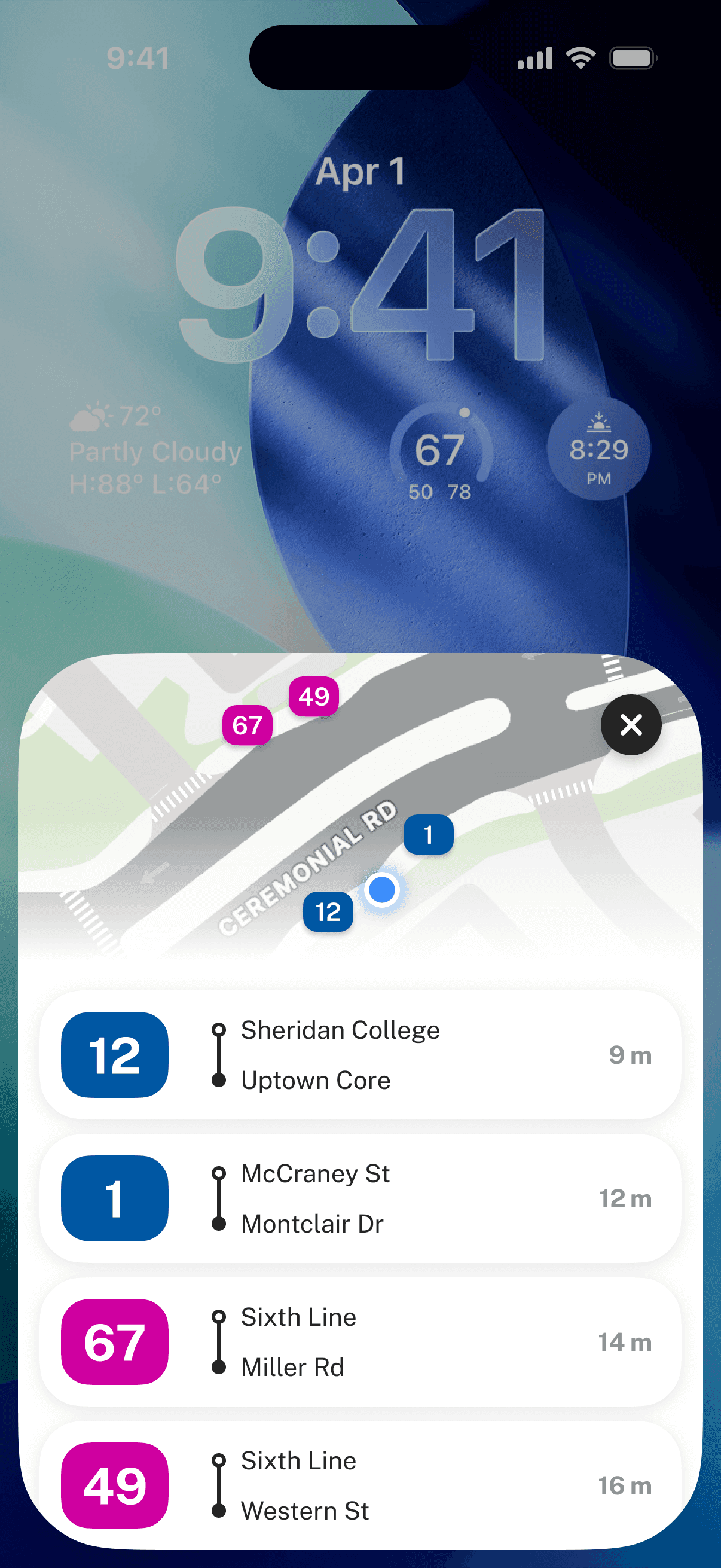
For example, every time you walk into a bus stop area, your phone automatically shows a card with information about that stop: bus stop pole locations, incoming buses, where to stand, and route guidance. This made me realize:
Maybe the real direction isn’t to replace existing mapping apps, but to present information in a more accurate, context-aware way.
I started brainstorming by asking:
How might we help people know which bus stop pole to stand at before the bus arrives?
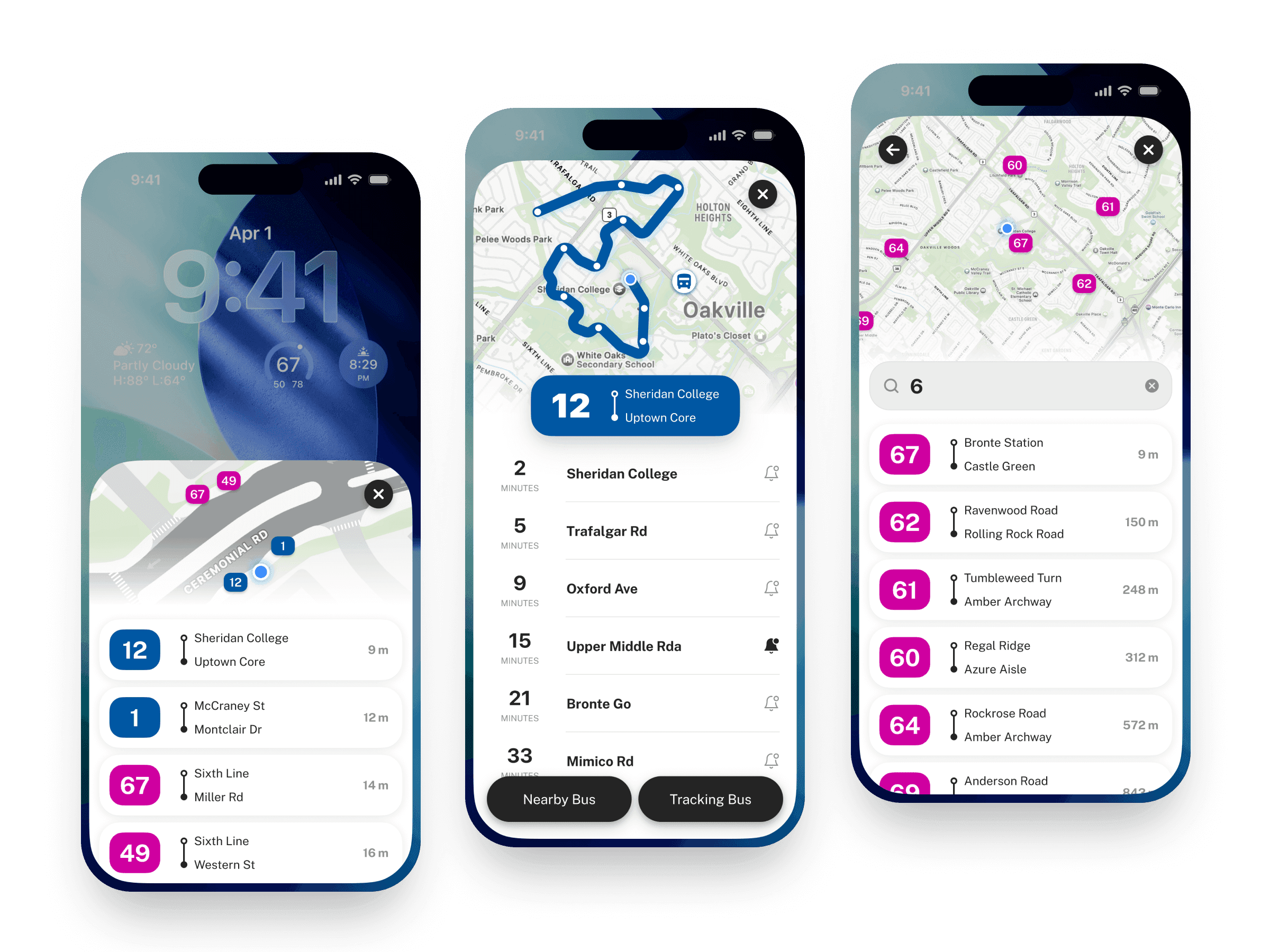
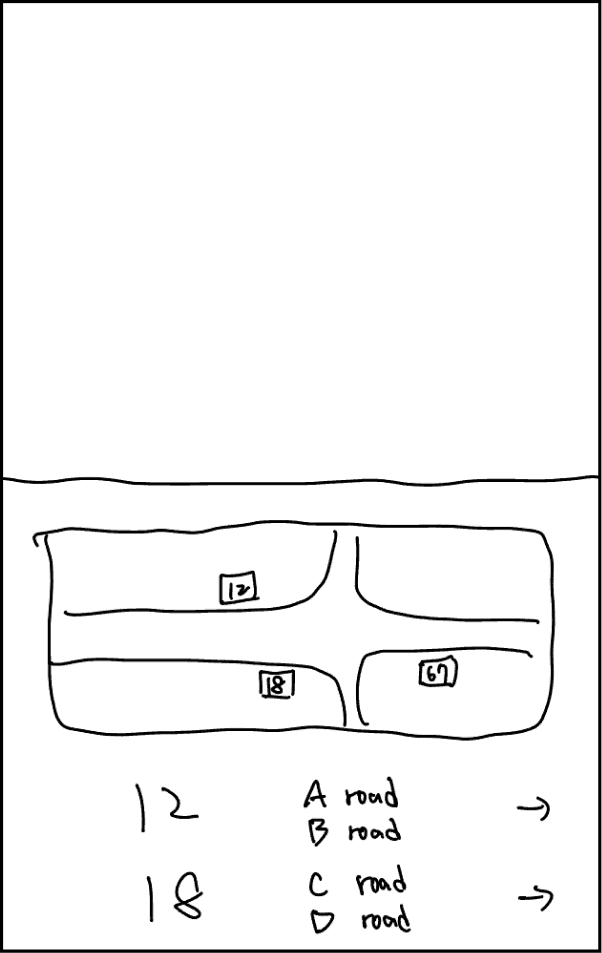
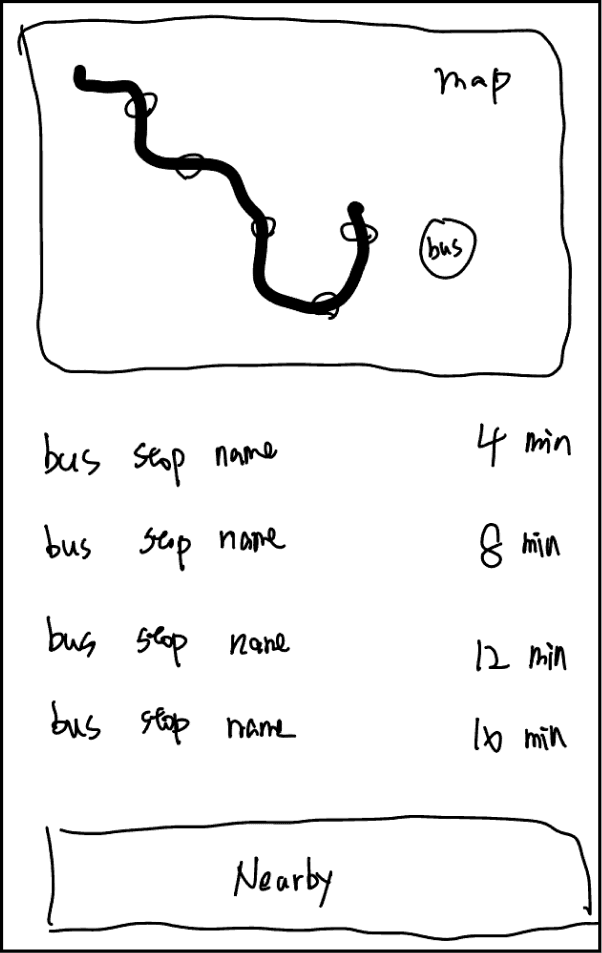
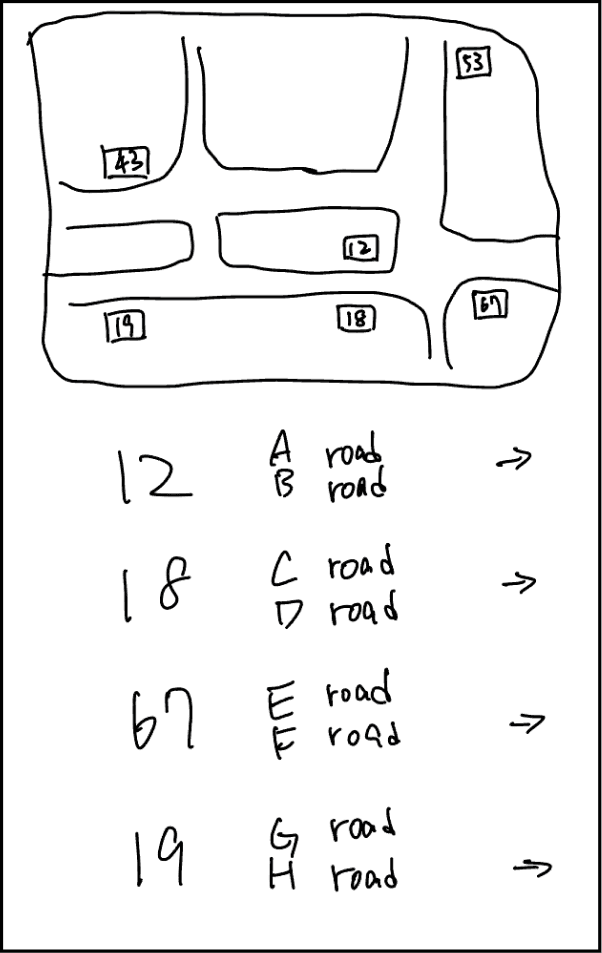
I sketched out three main screens, each looking at the problem from a different angle: space, time, and distribution.
First screen focused on the actual layout of the bus stop, showing where each bus stop pole is located.
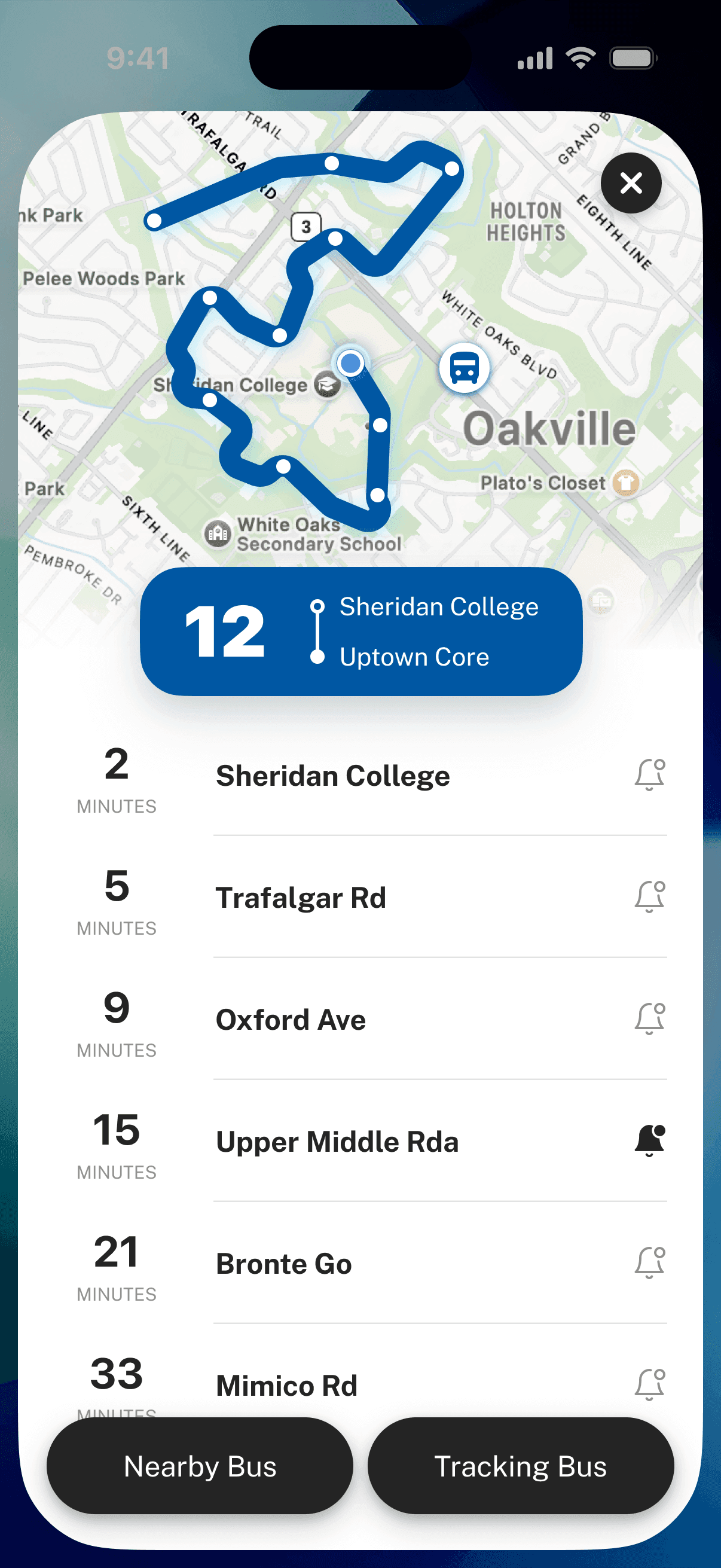
Second screen showed route dynamics and arrival times, so people could understand the bus status.
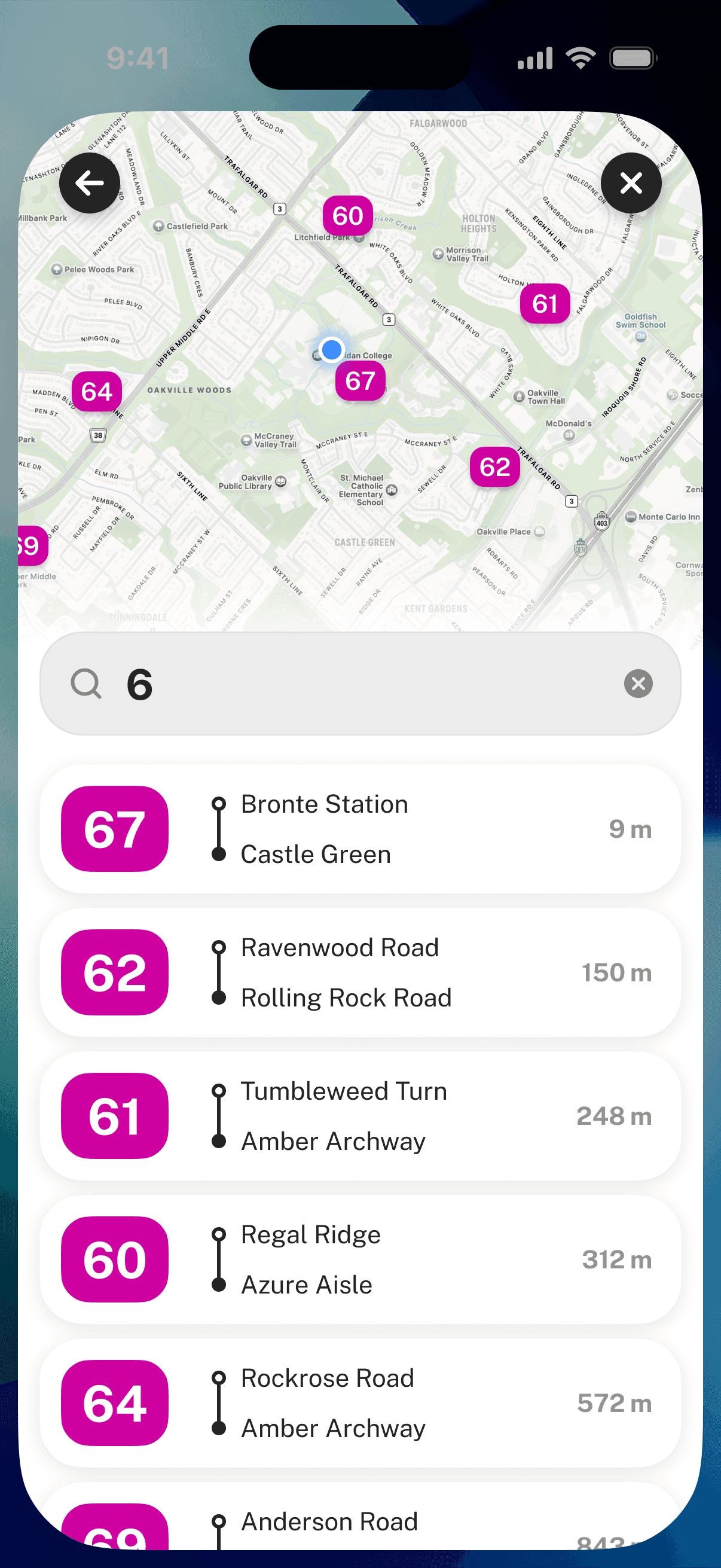
Third screen zoomed out to show nearby bus stops, giving people a quick sense of the overall area.
Through these explorations, I started to see what information people would need in different situations. I then mapped out the user flow to understand how people would actually use the App Clips.
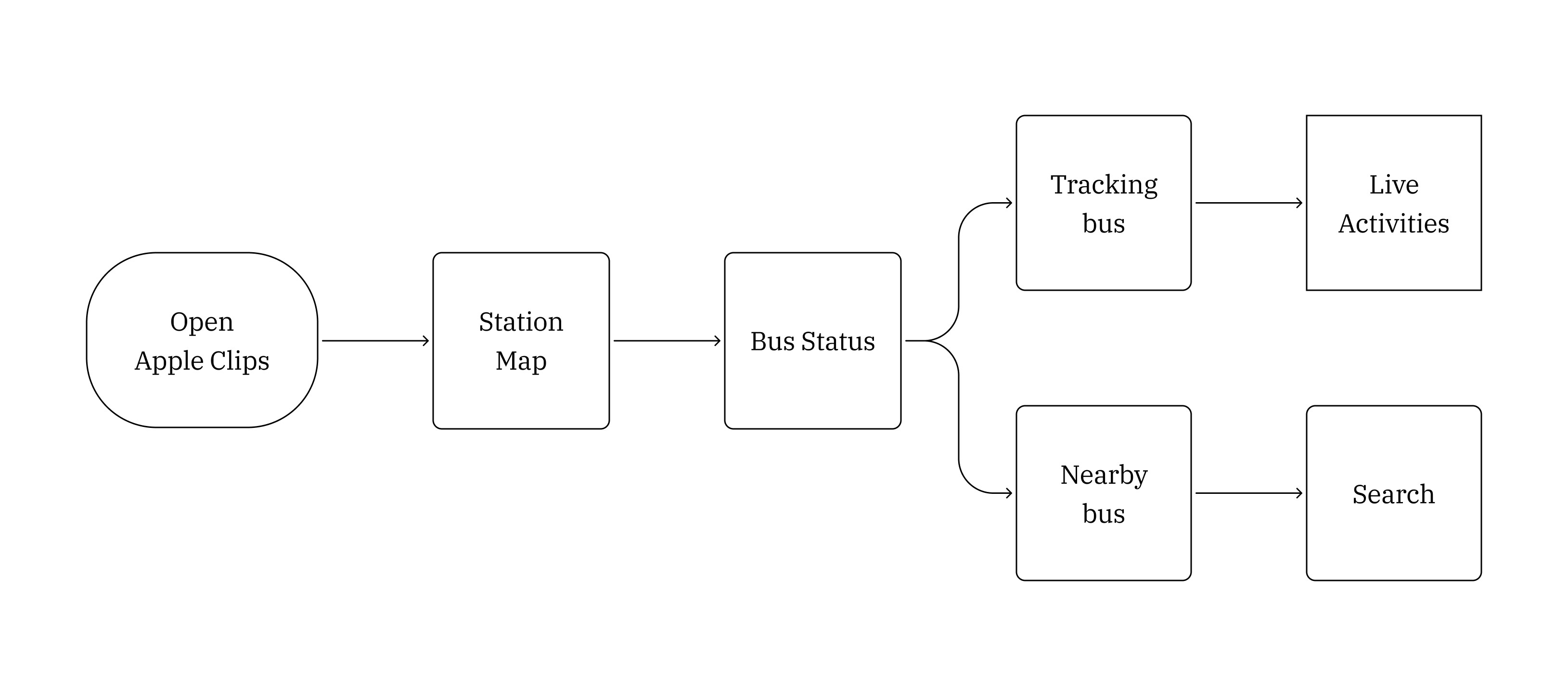
The user flow helped me identify the critical moments where people needed information. I then started working through the details of each screen.
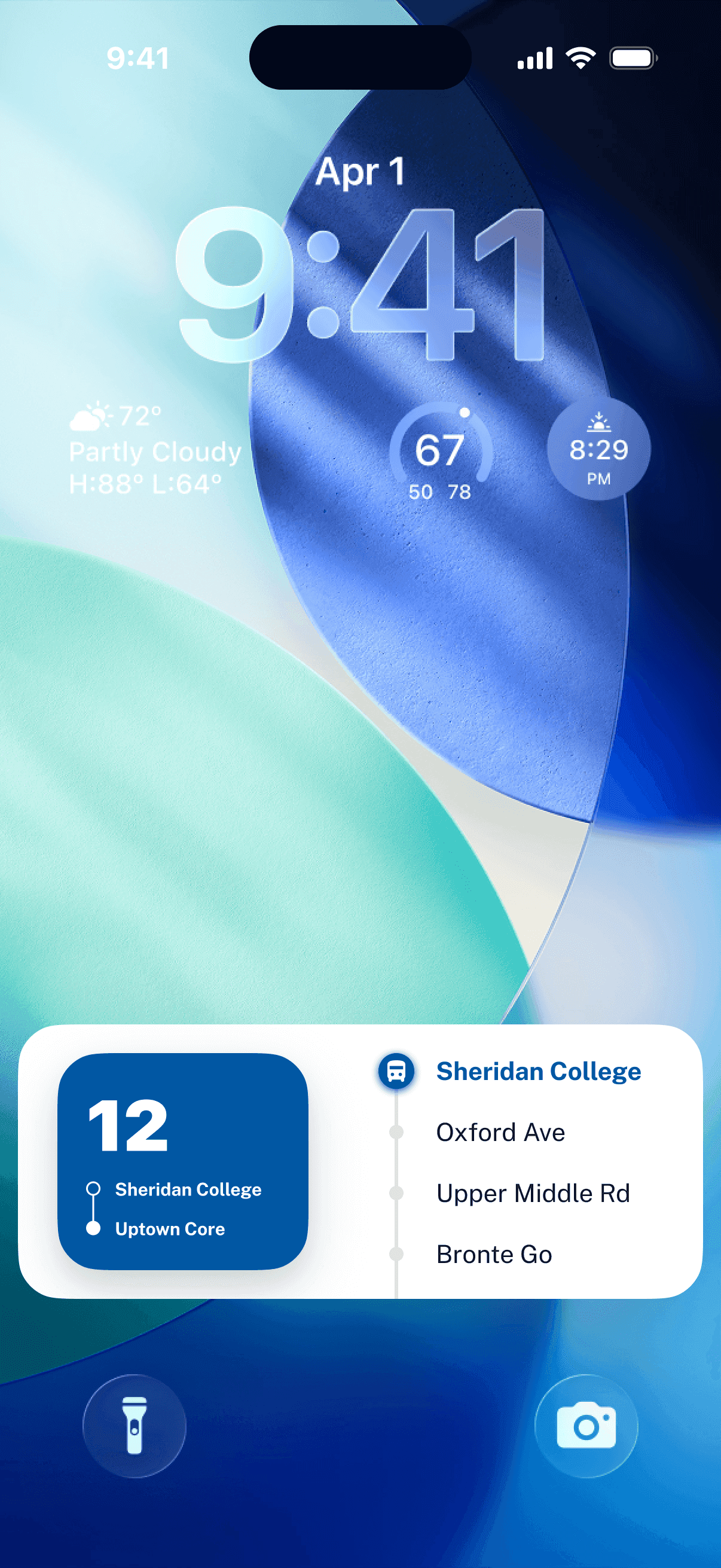
I added a few features to support the experience: live bus tracking using Apple’s Live Activities, arrival notifications, and a way to search for other nearby bus stops.
After refining the layout and structure a few times, I finalized the wireframes.
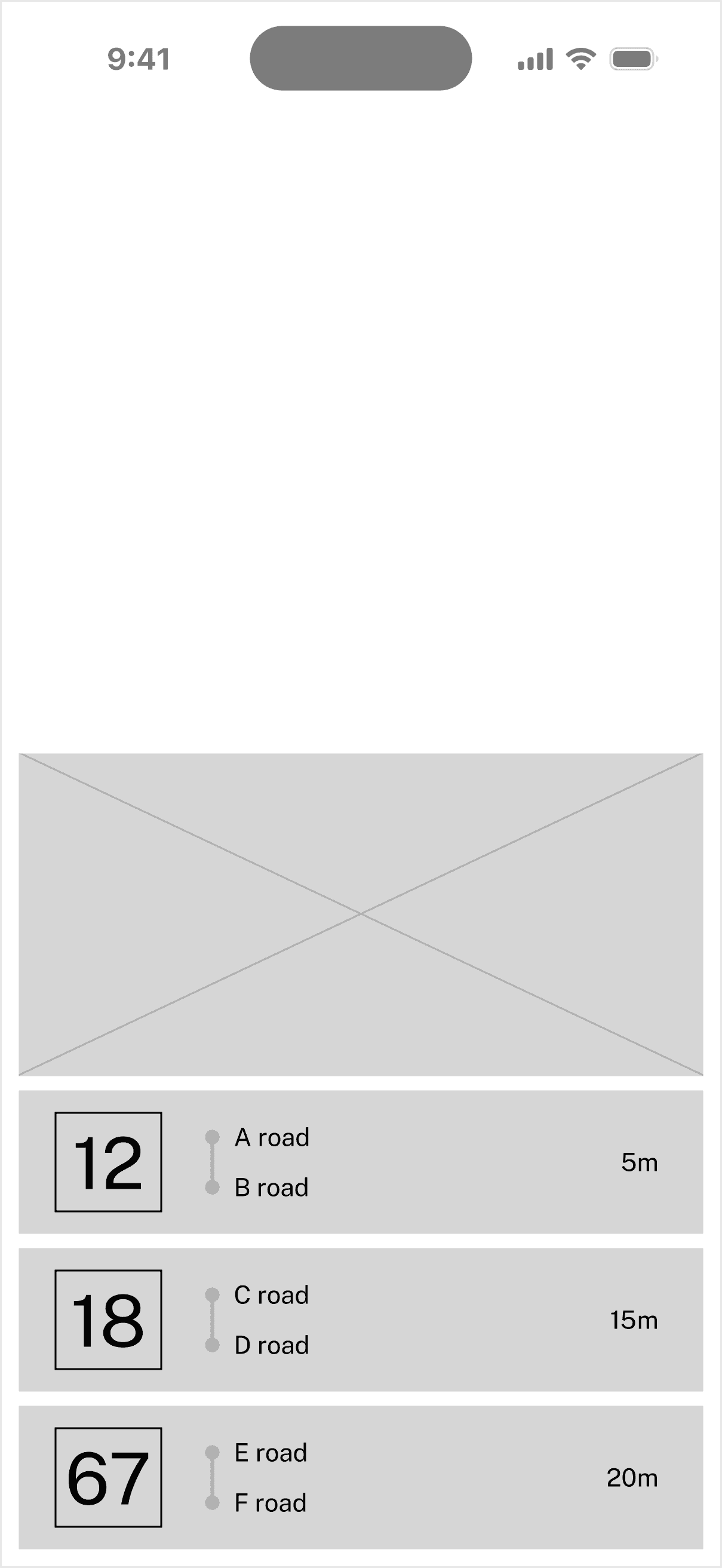
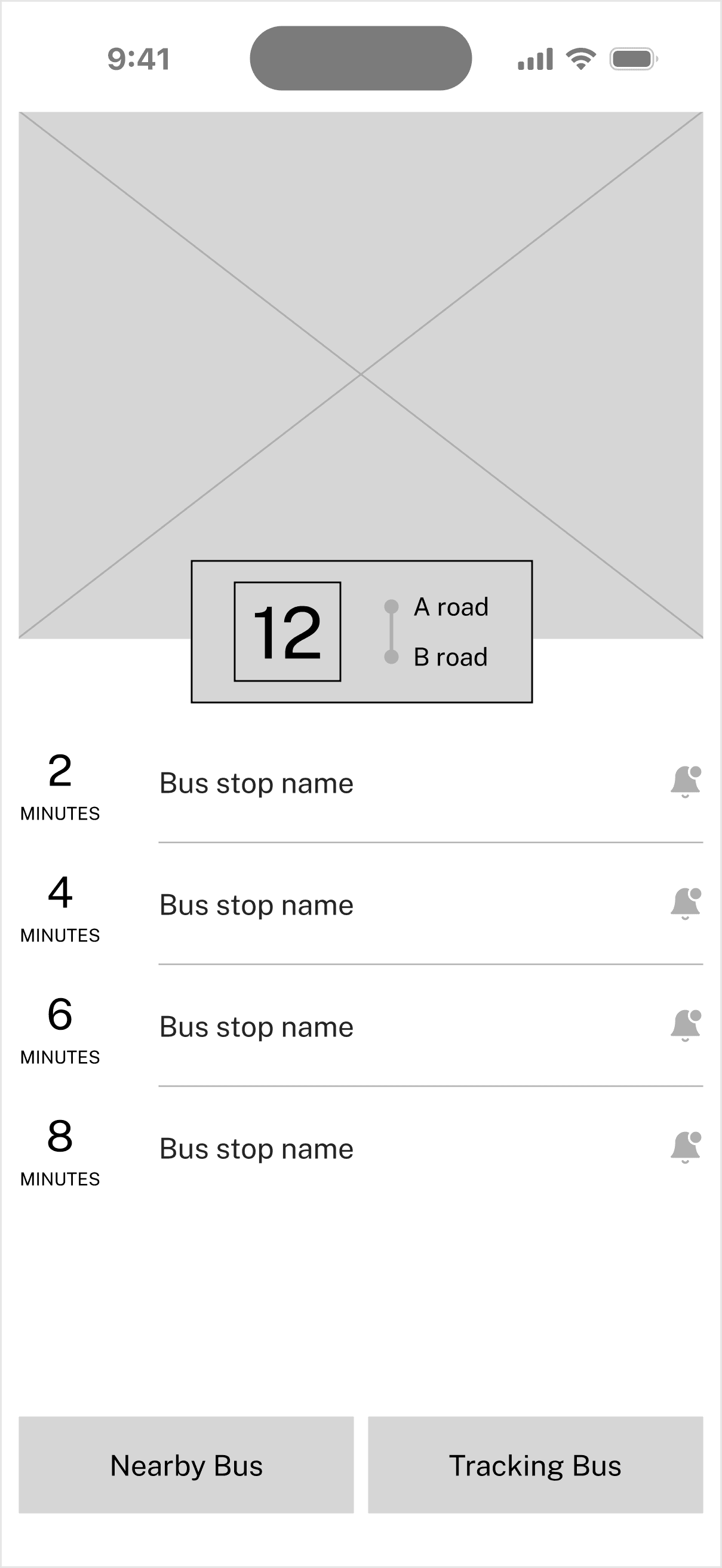
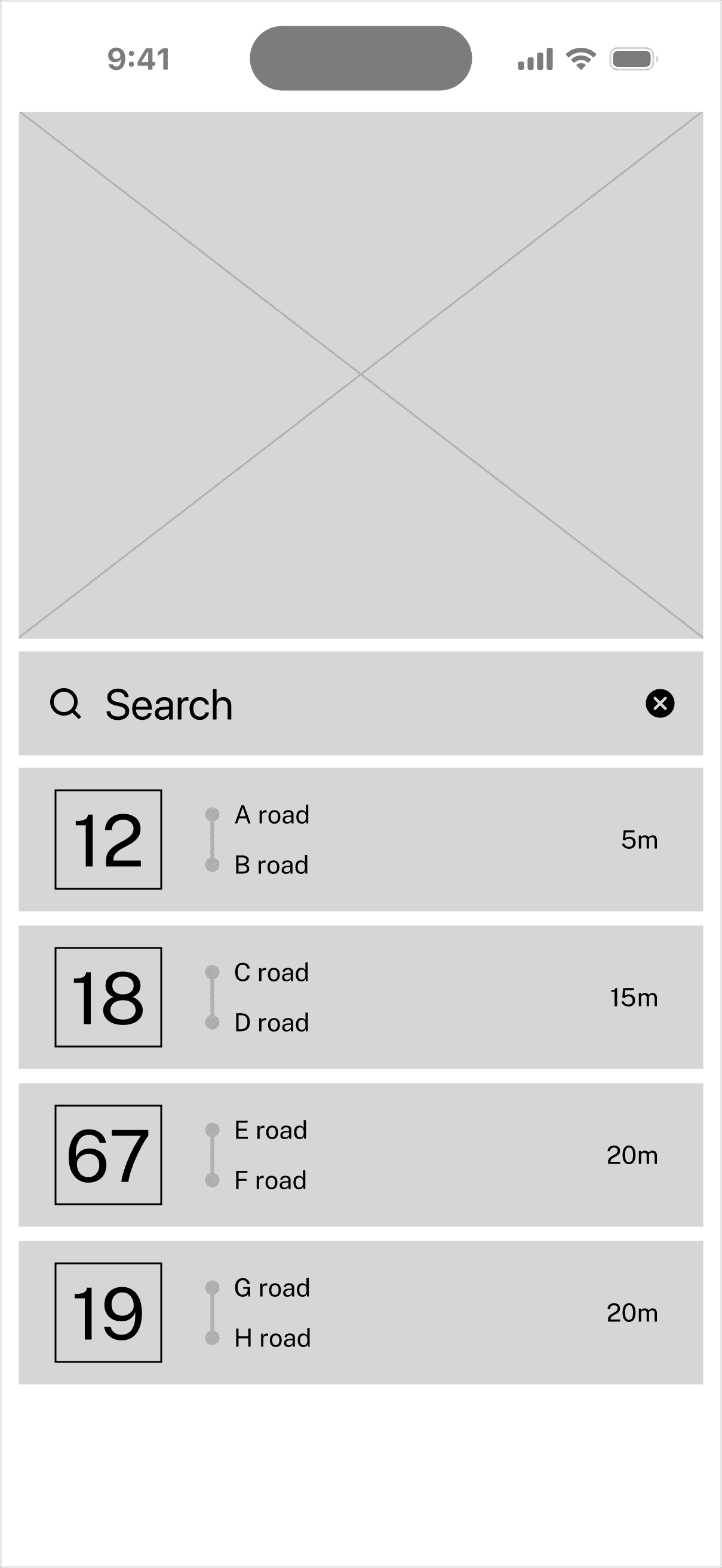
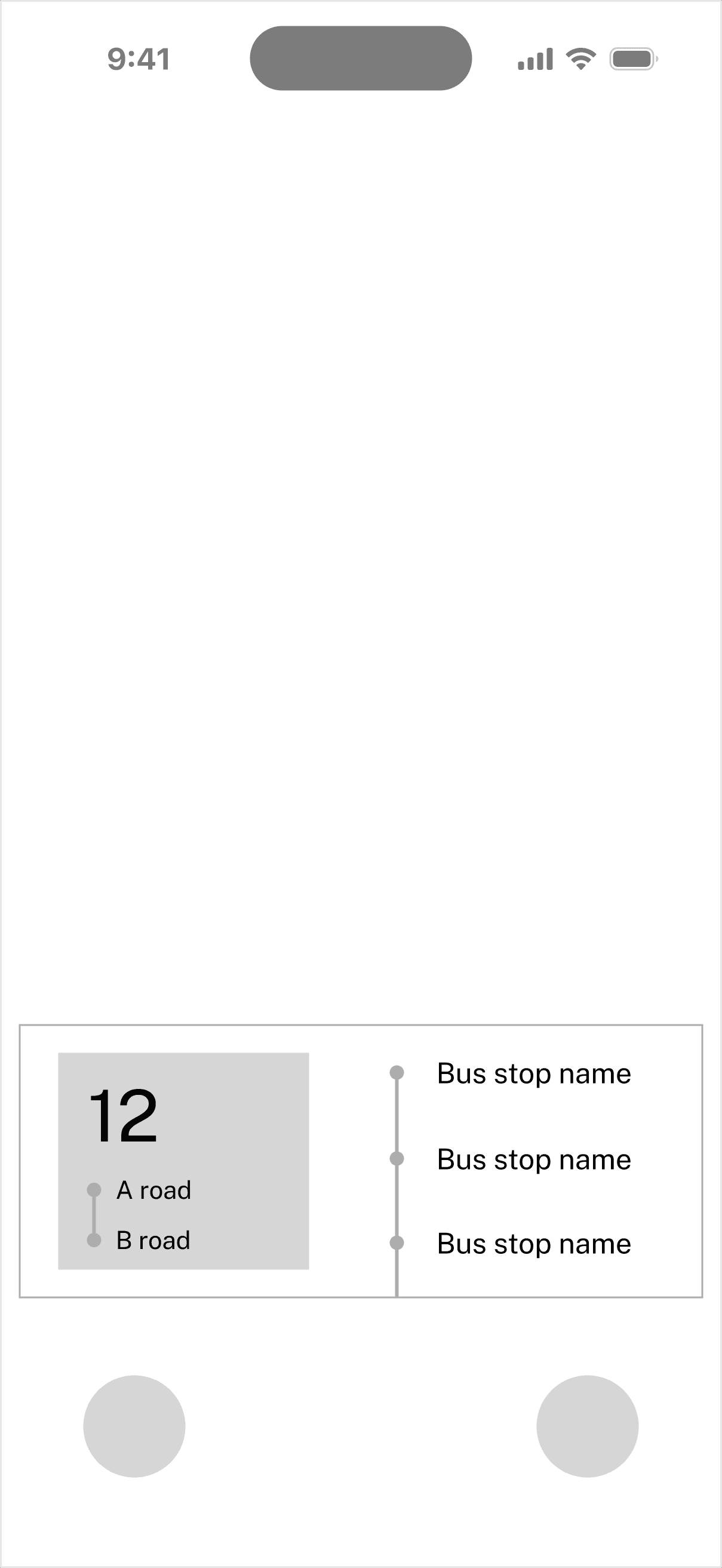
Thinking about visual design
With the wireframes finalized, I started thinking about the visual design. I looked at Travel & Transportation apps and noticed they all have their own brand color. But App Clips are different.
Every bus system already has its own colors. I realized the App Clip shouldn’t fight with those colors. Instead, it should use them to help people find information faster. People already recognize their bus by its color, so I used those system colors to guide their attention to what matters most: which bus stop pole to stand at.
For the interface, I chose Carbon Black as the main color. It brings sophistication, stability, and depth. This neutral base lets the bus system colors stand out where they need to.
Learning & Takeaway
There are always more improvements to make, but at this point I felt good about the direction and foundation I’d built.
The key insight was understanding that App Clips work differently from regular apps. They show up at exactly the right time and place, which meant I could focus on what people needed in that specific moment, rather than trying to build features for every possible situation.
Working through this problem helped me see how important it is to watch real behavior, not just ask people what they think they need. Spending time at bus stops and watching how people actually got on the bus revealed patterns I wouldn’t have found through interviews alone.
If I had more time, I would test these designs at actual bus stops, especially during rush hour and in different weather. I’d also look at how this could work across different bus systems, since each city has its own challenges.